Quick answer: the template is right below, ready to copy. It covers a trip overview, a day-by-day grid with morning, afternoon and evening slots, a bookings table with confirmation numbers, a budget tracker by category and a pre-departure checklist. Copy it into Google Sheets, or skip the spreadsheet entirely and build the same thing in Stippl's itinerary planner, which does the day grid and the running budget for you.
Plan None in Stippl
Day-by-day planning, stays and budget in one app, with every place from this guide already on the map.
Download the appThe free travel itinerary template, ready to copy
Here it is. Five blocks, in the order you actually fill them in. Copy the tables straight into a document, or use the Google Sheets version further down if you'd rather have columns you can sort.
1. Trip overview
| Field | Your trip |
|---|---|
| Destinations | Rome, Florence, Venice |
| Dates | 12 to 23 April |
| Nights | 11 |
| Travellers | 2 |
| Budget ceiling | €2,400 total |
| Flights booked? | Yes, outbound 12 April |
| Who else has this plan? | Shared with Sam |
2. The day-by-day grid
This is the heart of it. One row per day, and the four columns on the right are the ones people skip and then wish they hadn't.
| Day | Date | Base | Morning | Afternoon | Evening | Sleep | Booked? |
|---|---|---|---|---|---|---|---|
| 1 | Sun 12 Apr | Rome | Land 09:40, train to centre | Check in, walk the neighbourhood | Dinner in Trastevere | Hotel Rome | Flight yes, hotel yes |
| 2 | Mon 13 Apr | Rome | Colosseum, 09:00 slot | Forum and Palatine | Free | Hotel Rome | Colosseum yes |
| 3 | Tue 14 Apr | Rome | Vatican Museums, 08:00 slot | Castel Sant'Angelo | Free | Hotel Rome | Vatican yes |
| 4 | Wed 15 Apr | Rome | Pantheon, Piazza Navona | Buffer, nothing planned | Free | Hotel Rome | |
| 5 | Thu 16 Apr | Florence | Train 09:15, arrives 10:50 | Check in, Duomo square | Dinner near Santa Croce | Hotel Florence | Train yes, hotel yes |
| ... |
Fill every row, even the empty ones. A day with three blank slots is information: it tells you where the slack is when a train gets cancelled.
3. Bookings and confirmations
One table, every reference number, sorted by date. This is the table you open at a gate with 90 seconds to spare.
| Date | What | Provider | Reference | Cost | Notes |
|---|---|---|---|---|---|
| 12 Apr | Flight out | € | Terminal, bag allowance | ||
| 12 Apr | Hotel Rome | € | Check-in from 15:00, free cancel until 10 Apr | ||
| 13 Apr | Colosseum | € | Timed slot 09:00, arrive 20 min early | ||
| 16 Apr | Train Rome to Florence | € | Seat numbers |
4. Budget by category
Two columns, planned and actual. The second one is the whole point.
| Category | Planned | Actual | Difference |
|---|---|---|---|
| Flights | € | € | |
| Accommodation | € | € | |
| Food and drink | € | € | |
| Attractions and tours | € | € | |
| Local transport | € | € | |
| Buffer | € | € | |
| Total | € | € |
5. Pre-departure checklist
| Item | Done |
|---|---|
| Passport valid six months past return | |
| Travel insurance bought, policy number saved | |
| Visa or entry requirement checked | |
| Cards told you're travelling | |
| Offline maps downloaded | |
| Plug adapter packed | |
| Emergency contacts and embassy address saved | |
| Itinerary shared with everyone going |
That is a complete travel itinerary template. Five blocks, no software required.
Describe your trip, get a Italy itinerary in seconds
Everything in this guide is already in Stippl. Tell the planner how long you have and what you like: it builds the route, the days and the travel times, and you edit whatever you want.
Prefer to skip the filling in? Describe the trip in a sentence and Stippl's AI trip planner builds the day grid for you, then hands it to the itinerary planner to edit like any other trip.
What Is a Travel Itinerary Template?
A travel itinerary template is a pre-built structure, a spreadsheet, document, or app, that organises your trip day by day. Instead of starting from scratch each time, you fill in the blanks: dates, destinations, transport, activities, and budget.
The best templates solve two opposite planning problems at once:
- Over-scheduling, cramming six hours of sightseeing into a day that has four hours of travel in it
- Under-planning, arriving somewhere with a loose list of "things to check out" and no idea how to connect them
A solid template makes both visible before you leave home.
What to Include in a Travel Itinerary Template
Every effective travel itinerary template, whether you're on a weekend city break or a multi-week trip, covers the same seven sections. The tables above already carry all seven. Here's why each one earns its space.
1. Trip Overview
At the top: destination(s), total dates, number of travellers, and a rough budget ceiling. This anchors every decision that follows. If the budget ceiling is €1,400 and the first three activities cost €900, you know before you book.
2. Day-by-Day Schedule
The core of the template. For each day, include:
- Date and location (where you're waking up, where you're sleeping)
- Morning / afternoon / evening activity slots with rough timings
- Buffer time: add 20 to 30 minutes per half-day as a cushion for transport delays, longer queues, and the unexpected
3. Transport Details
Flight numbers, train times, car hire references, ferry crossings, stored in the template alongside the relevant day. The moment you need a booking reference is always the moment you have 90 seconds before a gate closes. Having it one tap away matters.
4. Accommodation
Name, address, check-in/check-out times, and confirmation number for every place you're staying. Include a link to the booking so you can pull up the cancellation policy fast if plans change.
5. Budget Tracker
A running total of planned versus actual spend, broken down by category: flights, accommodation, food, activities, local transport, and a miscellaneous buffer. Food is the category people underestimate most: coffees, snacks, sit-down breakfasts and spontaneous extras rarely show up in a rough-cut budget, and they add up fast. Track as you go, not when you get home.
Track what you actually spend
Set a daily budget per country and log expenses in any currency while you travel.
If you'd rather not keep two columns in sync by hand, the budget planner does the planned-versus-actual sum for you and splits shared costs through the expense tracker.
6. Packing Checklist
Simple but worth including. One document before you leave means you don't open five different notes apps looking for confirmation that you packed the adapter.
7. Emergency Information
Travel insurance policy number, local emergency numbers, nearest embassy or consulate, and your accommodation address in the local language. You'll probably never need this section. Build it anyway.
A filled-in example: 12 days in Italy
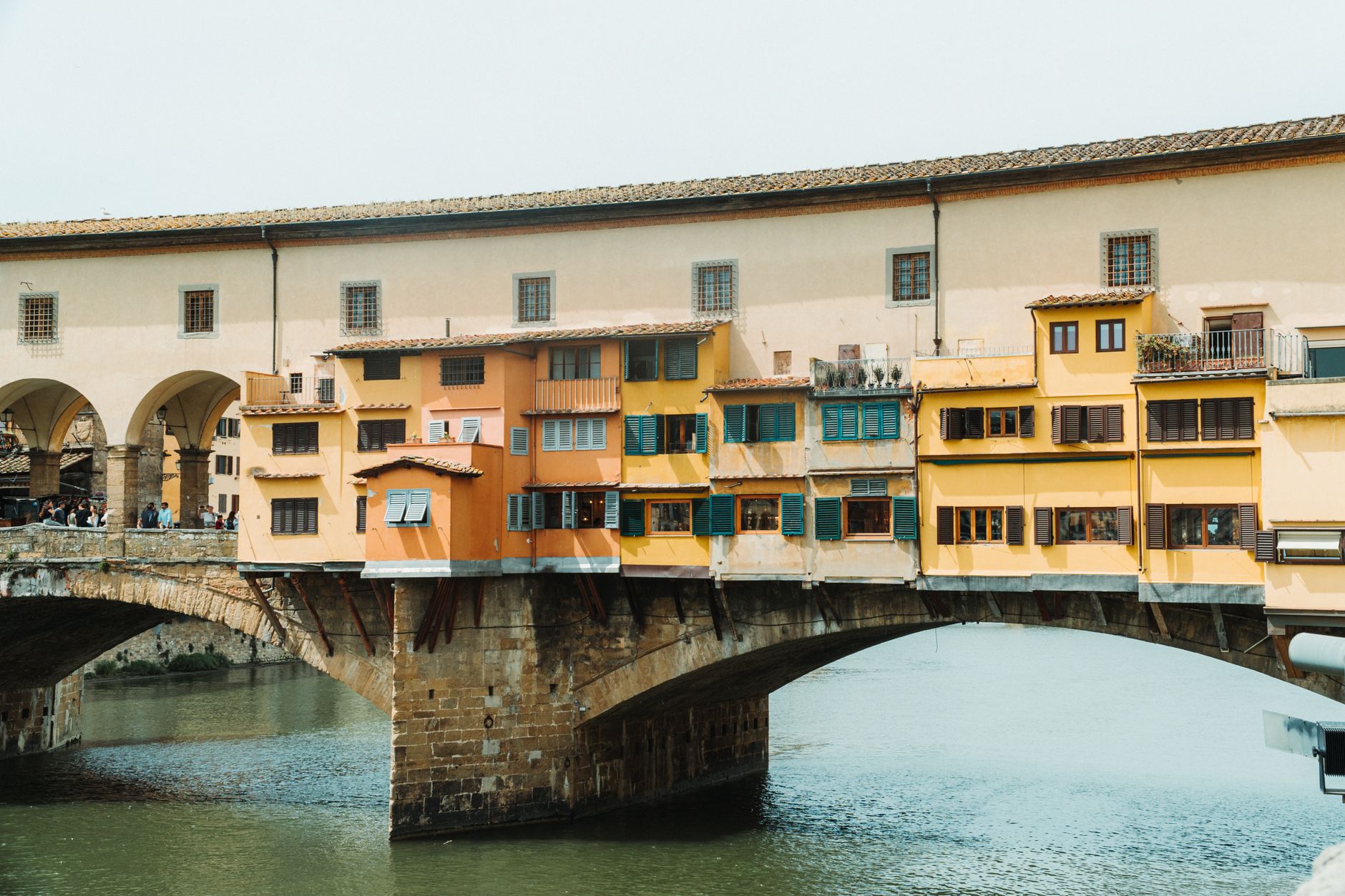
A blank template is easy to nod at and hard to use. Here is the same structure with a real trip in it, so you can see what a finished row looks like. Rome, Florence and Venice, 12 days, travelling by train.
We picked that shape because it is what people actually plan. Across the trips travellers build with Stippl, a typical Italy trip runs 12 days and covers five stops, three of them inside Italy. So three cities and a bit of buffer is not a compromise, it's the normal case.
| Day | Base | Plan | Sleep | Needs booking? |
|---|---|---|---|---|
| 1 | Rome | Land, check in, walk the neighbourhood, dinner in Trastevere | Rome | No |
| 2 | Rome | Colosseum morning slot, then the Forum and Palatine on the same ticket | Rome | Yes, and early |
| 3 | Rome | Vatican Museums first thing, Castel Sant'Angelo after, evening free | Rome | Yes |
| 4 | Rome | Pantheon and Piazza Navona, afternoon deliberately empty | Rome | No |
| 5 | Florence | Morning train, check in, Duomo square, dinner near Santa Croce | Florence | Train yes |
| 6 | Florence | Uffizi timed slot, Ponte Vecchio at golden hour | Florence | Yes |
| 7 | Florence | Dome climb slot, 463 steps and no lift, afternoon free | Florence | Yes |
| 8 | Florence | Day trip or a slow day, your choice on the morning | Florence | No |
| 9 | Venice | Morning train, check in, get lost on purpose | Venice | Train yes |
| 10 | Venice | St Mark's and the Doge's Palace, gondola in the evening | Venice | Palace yes |
| 11 | Venice | Burano and Murano by vaporetto, last dinner | Venice | No |
| 12 | Home | Water bus to the airport, fly | Flight yes |
Three things that row-by-row view makes obvious, and a prose plan doesn't:
The booking column drives the whole calendar. Colosseum tickets go on sale 30 days before the visit date and a timed slot is compulsory, so that one line sets your planning horizon for the entire trip. The Uffizi and the Duomo dome are separate timed bookings again. Put them in the grid first and everything else arranges itself around them.
Empty slots are a feature. Day 4 and day 8 have nothing in them on purpose. Every trip loses half a day to a delayed train or a longer queue, and a plan with no slack turns that into a cancelled evening.
Prices belong in the grid, not in your head. A gondola is a set municipal fare of €90 for 30 minutes until 19:00 and €110 after, per boat rather than per person, for up to five people. Written into the budget table on day 10, that is a decision you make calmly at home. Discovered at the jetty, it is a decision you make badly.
How many days should each stop get?
This is the question a blank template can't answer, and it's the one that decides whether the trip works. Our own numbers give a useful starting point.
Across the trips people plan with Stippl, a new stop lands roughly every two days. A Japan trip typically runs 17 days across six stops, which is a stop every 1.8 days. Thailand runs longer, about 21 days across ten stops, which is a stop every 2.1 days. Italy is the compact one: 12 days, five stops.
Two practical rules fall out of that:
- Under two nights per stop and you're commuting, not travelling. Half of a one-night stop is spent arriving and leaving.
- Over four nights and a city usually needs a day trip to keep the second half interesting.
For a first visit, three nights per city is the safe default. Rome and Florence both fill three comfortably. Venice is small enough that two is enough for most people and three is generous.
Timing matters as much as length. Travellers plan Florence about 90 days out, and the Colosseum's tickets only go on sale 30 days ahead. Start the template three months before you go and you'll never be the person refreshing a sold-out booking page.
Build it in Google Sheets: the exact columns
Google Sheets is still the most-used free option: editable from any device, shareable by link, free forever. Five tabs is all you need.
Paste this into the first row of a new sheet and you have the day-by-day tab built. It's tab separated, so Sheets will split it into columns automatically.
The other four tabs, same idea:
Two settings worth two minutes of your time. Freeze the top row (View, then Freeze, then 1 row) so your headers stay visible while you scroll. And set the Booked column to a checkbox (Insert, then Tick box) so you can see at a glance what's still open.
The real limitation: Sheets works well for solo planning on a laptop. For group trips, the shared spreadsheet quickly becomes a source of version confusion ("did you update the Rome day?"). And on mobile, where you actually need your itinerary, a shared spreadsheet is awkward to use.
Excel Travel Itinerary Template
Microsoft Excel gives you the same structure as Sheets, offline. Good choice if you prefer working offline or your company is in the Microsoft ecosystem. Download a .xlsx, fill it in, save to OneDrive for mobile access. Same limitations apply.
If you want a ready-made file to download
Smartsheet's free template library has ready-made Google Sheets and Excel versions you can copy and customise in minutes. Use one if a file is genuinely what you want. The column list above is what you'll end up rearranging it into anyway.
App-based itinerary template: the version that survives the trip

The honest reason most travel spreadsheets are abandoned by day three: they were built for a desk, not for navigating a city.
Stippl's itinerary planner gives you everything the tables above do, day-by-day schedule, booking details, notes, packing list, but designed to be used on the ground. You can:
- Build your day-by-day plan with a visual timeline per destination, dragging places between days as things move
- Track spending in real time as you go, with automatic per-person splits via the expense tracker
- Tick off your packing list from your phone the morning of departure
- Share the whole plan live so everyone in the group sees updates instantly, with no "send me the file again" messages
If you specifically need a file to download, use the Google Sheets version above. If you want something you'll actually open while you're standing on a street corner in Lisbon trying to find the restaurant, use the app.
How to Fill In Your Travel Itinerary Template
Step 1: Lock in the fixed points first
Add everything already booked, flights, trains, accommodation, to the correct days before touching anything else. These are your anchors. Activities, restaurants, and day trips fit around them.
Step 2: Add honest travel times
A two-hour train doesn't take two hours. It takes two hours plus getting to the station, waiting, and getting from the arrival station to your accommodation. Add the real travel time to each transfer and you'll immediately see which days are overloaded.
Step 3: Fill in activities from your research
Pull in everything from your saved posts and notes. Assign each item to a day and slot. If a day is overloaded, and one always is on the first pass, move things forward or cut them entirely. The template makes this visible; a list of saved links does not.
Step 4: Run a budget check
Total up your planned costs. Add a 15% buffer for food and incidentals. If the number is over your ceiling, it's better to know now than on day four when the card is declined. The budget planner in Stippl does this automatically.
Step 5: Share it early
Share the plan with everyone going before it's "finished". The best time to surface conflicts (one person wants mountains, one person wants beach) is during planning, not the morning of a transfer. Shared itinerary tools let everyone comment on the plan in real time.
Travel Itinerary Templates by Trip Type
Weekend City Break (2 nights)
Friday: Arrive and check in, neighbourhood walk plus local dinner, early night (you have a full day tomorrow).
Saturday: Morning at the top priority, one major attraction, museum, or experience. Lunch in a neighbourhood you haven't seen. Afternoon exploring, then a dinner reservation somewhere you've researched.
Sunday: Brunch, one more thing (a market, a viewpoint, a walk), head home.
One must-do per half-day. Everything else is a bonus. This is the itinerary that actually gets enjoyed.
One-Week Holiday (7 nights)
Days 1 to 2: Arrive, adjust to the timezone, explore your base at a relaxed pace. No major commitments until day two.
Days 3 to 4: Day trip or move to a second location. Mid-trip is when energy is highest, so use it for the longer journeys.
Days 5 to 6: Core destination activities. The things you came for.
Day 7: Buffer day. Shopping, revisiting a favourite spot, admin, packing. Don't plan anything you'd regret missing. Every week-long trip needs this day: remove it and day seven becomes a stressful sprint to the airport.
Multi-Country Trip (2+ weeks)
Group the itinerary by country first, then city within each country. Before each border crossing, check your checklist: visa requirements, travel insurance validity across the border, and connectivity. Stippl's eSIM feature keeps you online without swapping physical SIMs at every crossing, useful when you're moving between countries every few days.
5 Things Most Itinerary Templates Get Wrong
1. No real travel time. Maps says 25 minutes, reality says 45. The template should include the full journey, door to door.
2. Every evening is "TBD." Leaving evenings open sounds flexible. In practice it means standing on a street at 8 pm googling restaurants that are already fully booked. Book at least one dinner per destination in advance.
3. The budget is estimated once, never updated. A budget column that's only filled in before the trip is decoration. Track actual spend as you go, even rough numbers help.
4. It's only accessible on one device. Screenshots or cloud sync. If the itinerary lives only on a laptop at home, it doesn't help you when you're on the ground.
5. It's a monologue, not a shared plan. If you're travelling with others, the itinerary is a conversation. Share it early, let people add things, and build something everyone has contributed to.
Build it once, use it every trip
Get the structure right once and it works for every trip after this one. Copy the tables above into a document, or paste the column headers into Google Sheets and you're set in five minutes.
If you'd rather not maintain a spreadsheet at all, Stippl's itinerary planner replaces the whole thing: the day-by-day grid, the budget planner, the packing list, group expense splits and live sharing, in one place and free to start. Build your first travel itinerary and see whether you ever open a spreadsheet again.
Frequently asked questions about None
Start with the fixed points: flights, trains and hotels go into the day grid first. Then add anything that needs a timed slot or sells out, because those set your dates. Only then fill in the flexible activities, one per half-day, and leave at least one afternoon per week empty.
Yes. Copy the tab-separated column headers in the Google Sheets section above into a new sheet and it builds itself into columns. Five tabs (overview, day-by-day, bookings, budget, packing) is all you need, and freezing the top row plus a tick-box column for bookings takes about two minutes.
Seven things: a trip overview with dates and a budget ceiling, a day-by-day schedule with morning, afternoon and evening slots, transport details with reference numbers, accommodation with check-in times and cancellation deadlines, a budget tracker with planned and actual columns, a packing checklist, and emergency contacts. Anything beyond that is a nice-to-have.
Three nights per city is the safe default for a first visit. Across the trips planned with Stippl a new stop lands roughly every two days, which is fast enough to see a lot and slow enough that you're not spending half of each stop in transit. Under two nights you're mostly arriving and leaving.
For a file you own and can edit offline, Google Sheets. For a plan you'll actually use while travelling, an app you can share and update from a phone. Stippl's itinerary planner is free, covers the same structure as the template above, and keeps everyone in the group on the same version.